
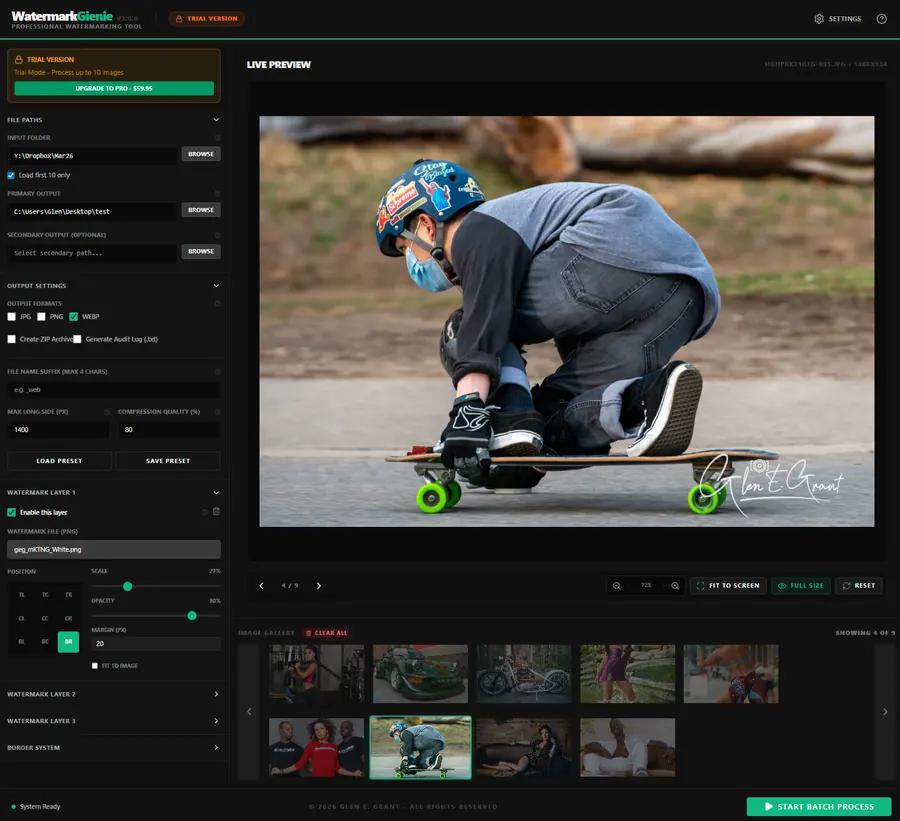
Multi-Layer Watermarking
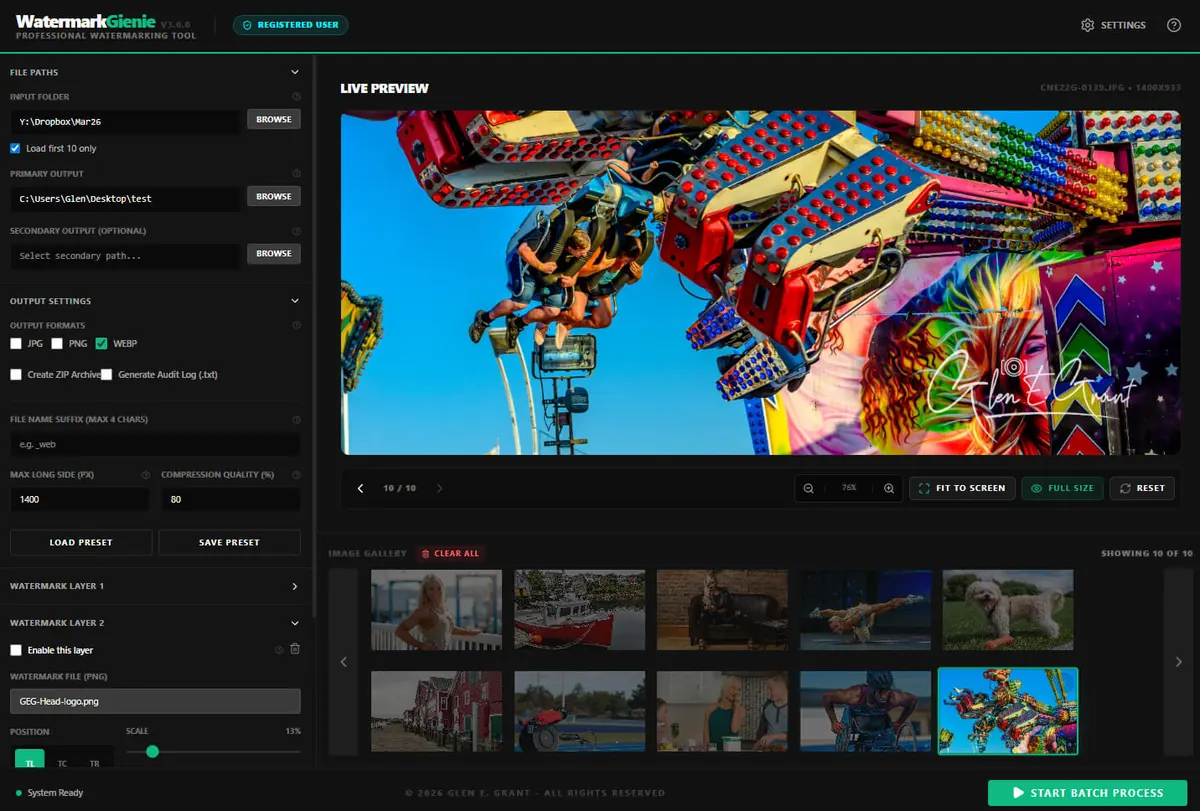
Stack up to 3 independent watermark layers. Position each at any of 9 anchor points with precise scale, opacity, and margin control.
Windows 3.6.1 · macOS available
A photographer's desktop workbench for batch watermarking, deliberate colour, film-stock collages, and signed prints. Compose a look once, deliver a complete set. The images stay on your machine.

Why it exists
Most watermarking tools are browser tabs, cloud services, or throwaway apps that upload your images before they are even protected. Slow, limited, and weak where it matters most: control, privacy, and repeatability.
Watermark Gienie is a real desktop application that runs on your machine, Windows or Mac. No subscription. No upload limits. No waiting for a server response. Your images, your computer, your rules.
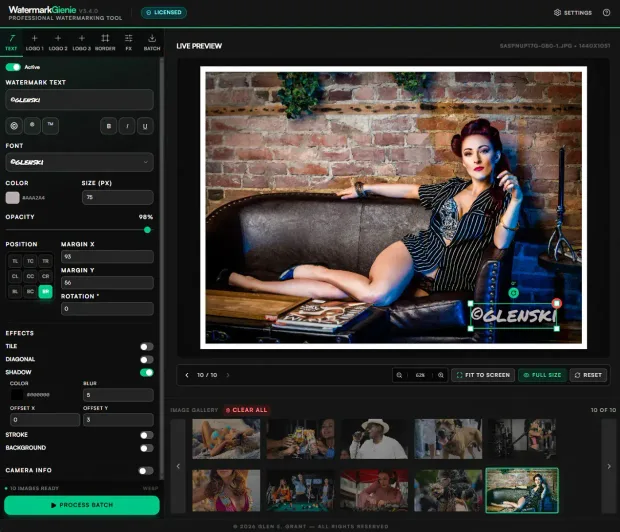
New in 3.6 · Windows now, macOS after validation
Metadata gets stripped the moment a photo is uploaded, and a visible watermark can be cropped out. The invisible brand marker stays in the pixels, tied to your licence, so you can show a copy came from you.
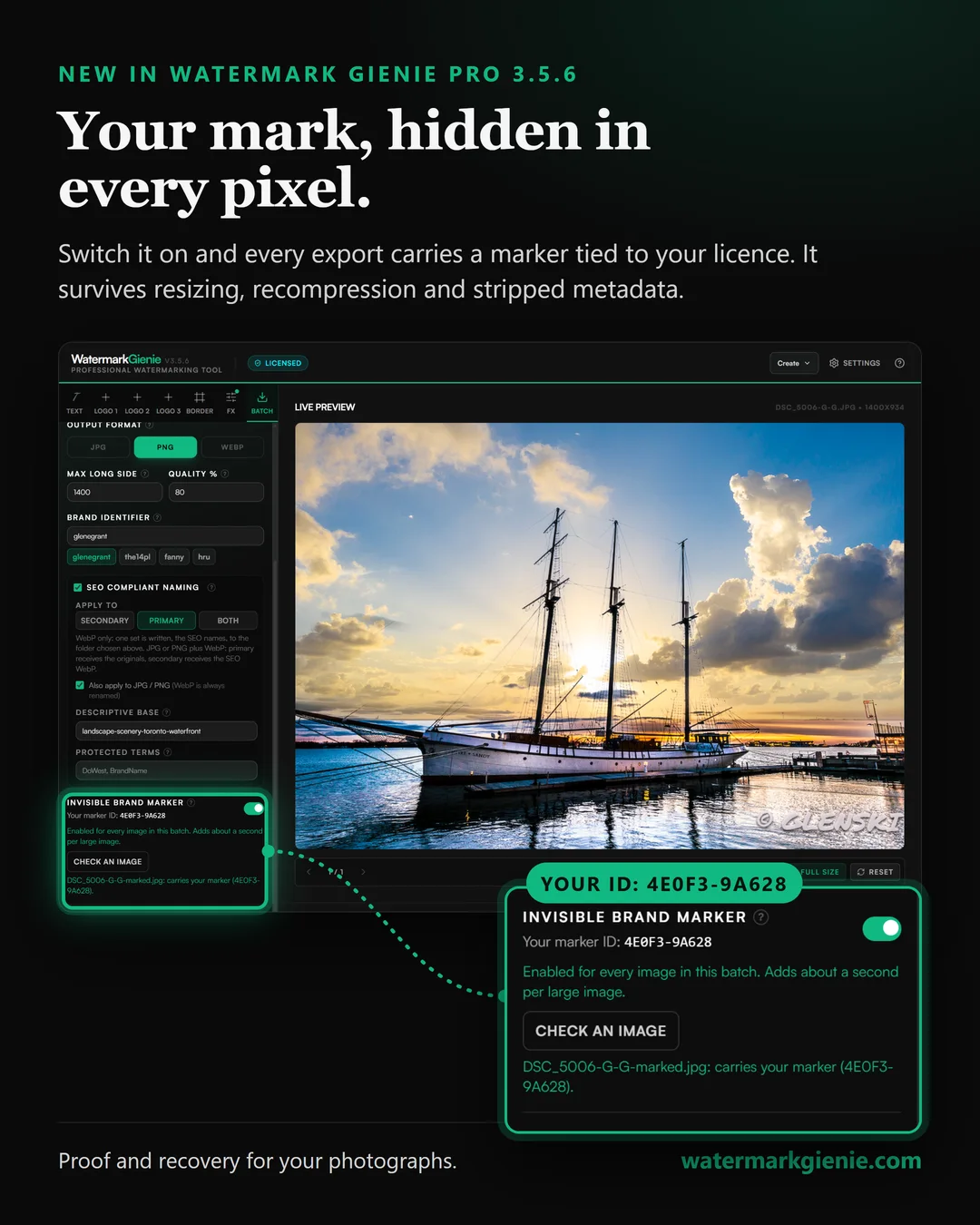
Switch on the Invisible Brand Marker in the Batch tab. Each export gets a 10-character ID tied to your licence, hidden in the pixels. The app reads every file back after saving and reports how many were confirmed.
Resizing, recompression, and stripped metadata leave it readable. Heavy cropping or a full repaint removes it, so think of it as proof and recovery, not a lock.
Drop a photo on the verify page. It is read inside the browser and never uploaded, and only the 10-character ID is looked up in the licence register. Photographers can choose to show their name with the result.
Verify a photo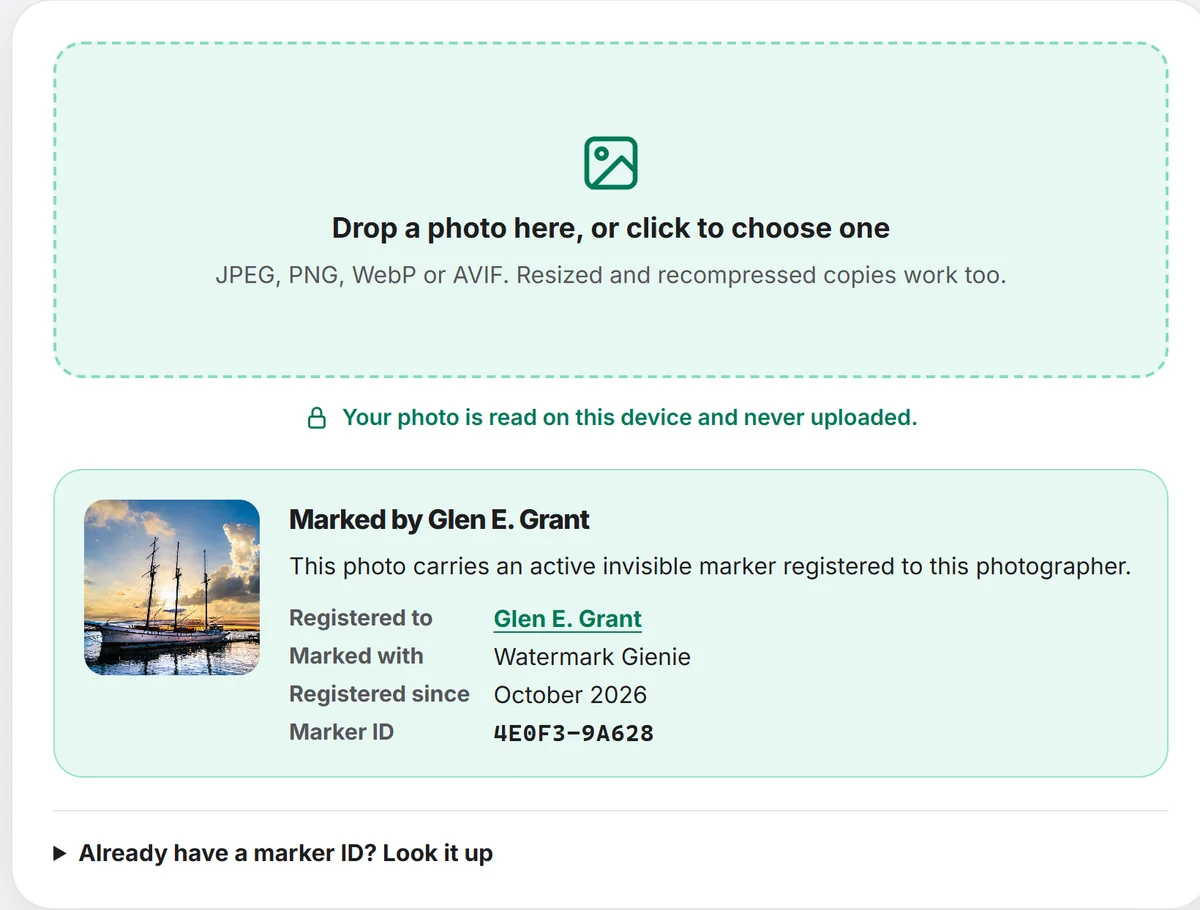
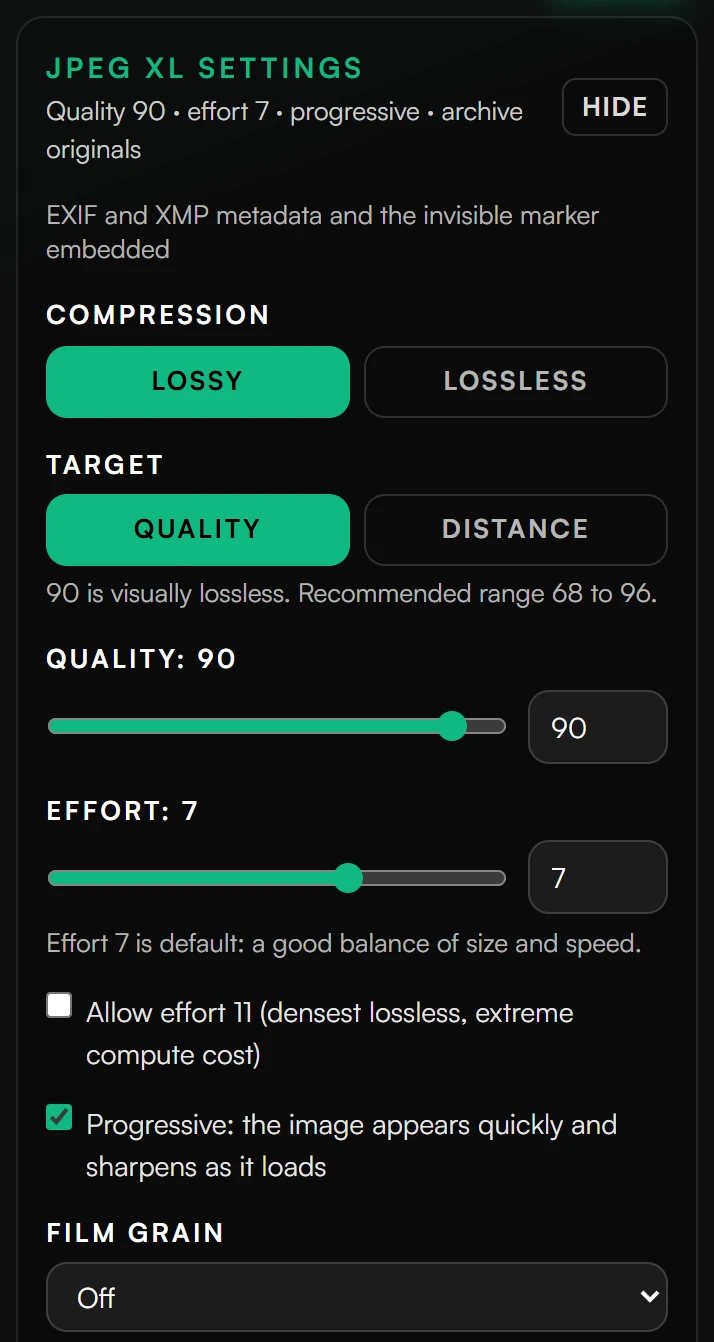
JPEG XL and TIFF sources, a colour-managed and sharper preview, Check an Image inside the app, a preview cache you can place on any drive and purge, a Full Size viewer that stays smooth in large galleries, and Change License and Remove from PC tools. The free Demo runs for 14 days. These features are on Windows now, and macOS follows after validation.
Create tools · included in Pro
Batch delivery and individual presentation now belong in the same desktop workflow. Three ways to finish the frame, with the original photographs kept local.
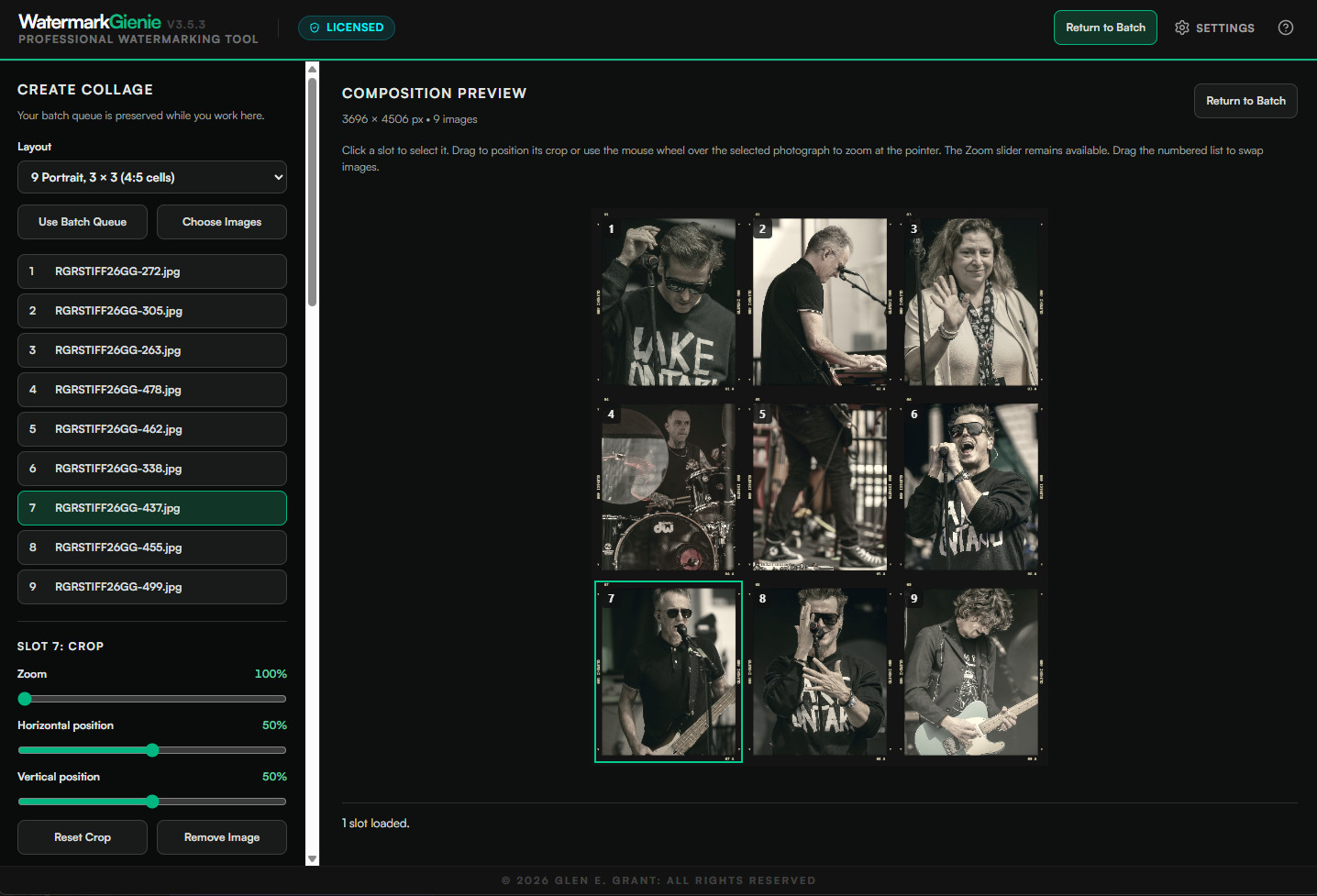
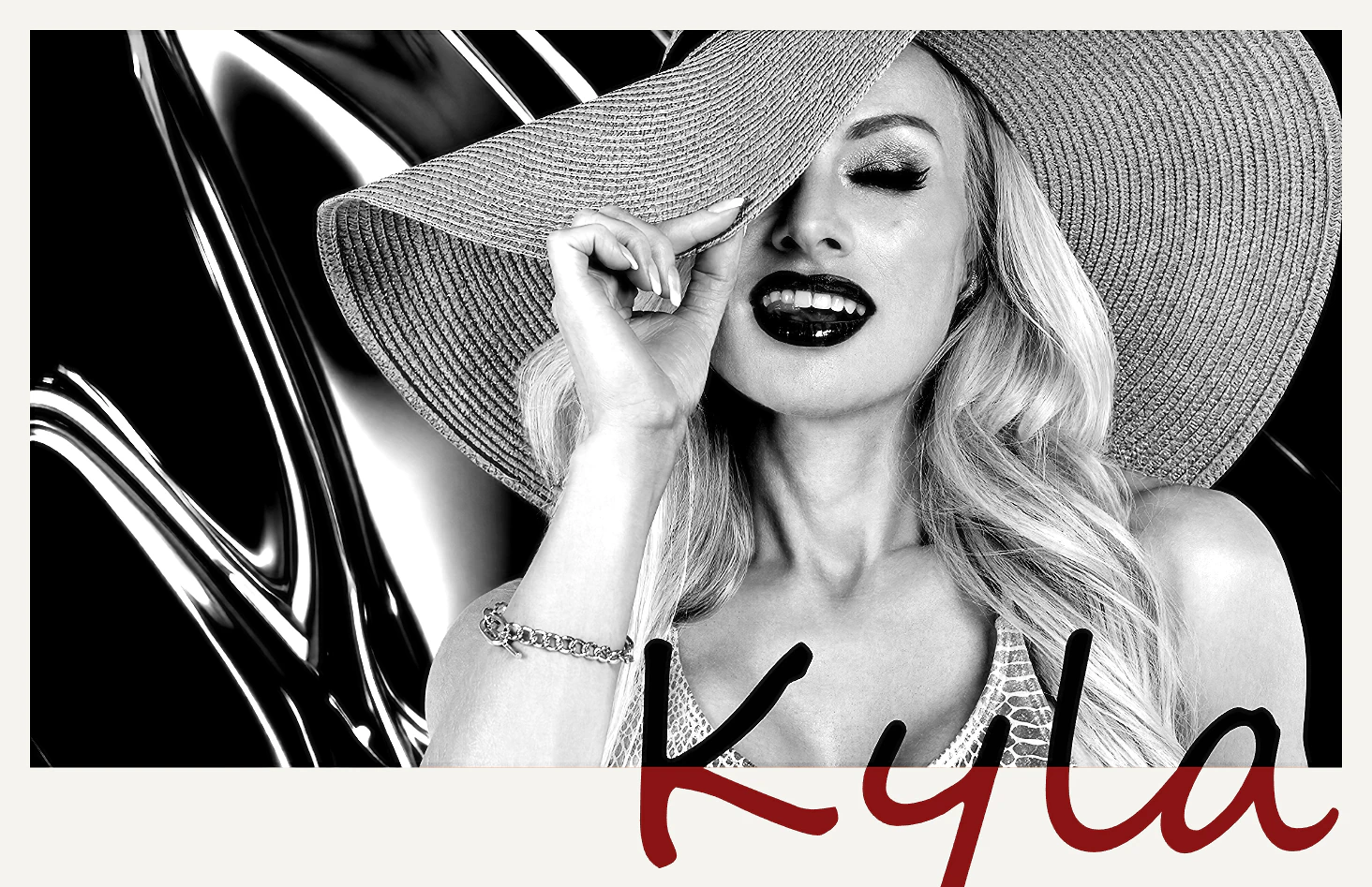
Three locally bundled script fonts, an image-sampling border eyedropper, corrected gallery removal before batch export, and the 3.5.0 to 3.5.3 reliability and FX improvements.
The grading bench
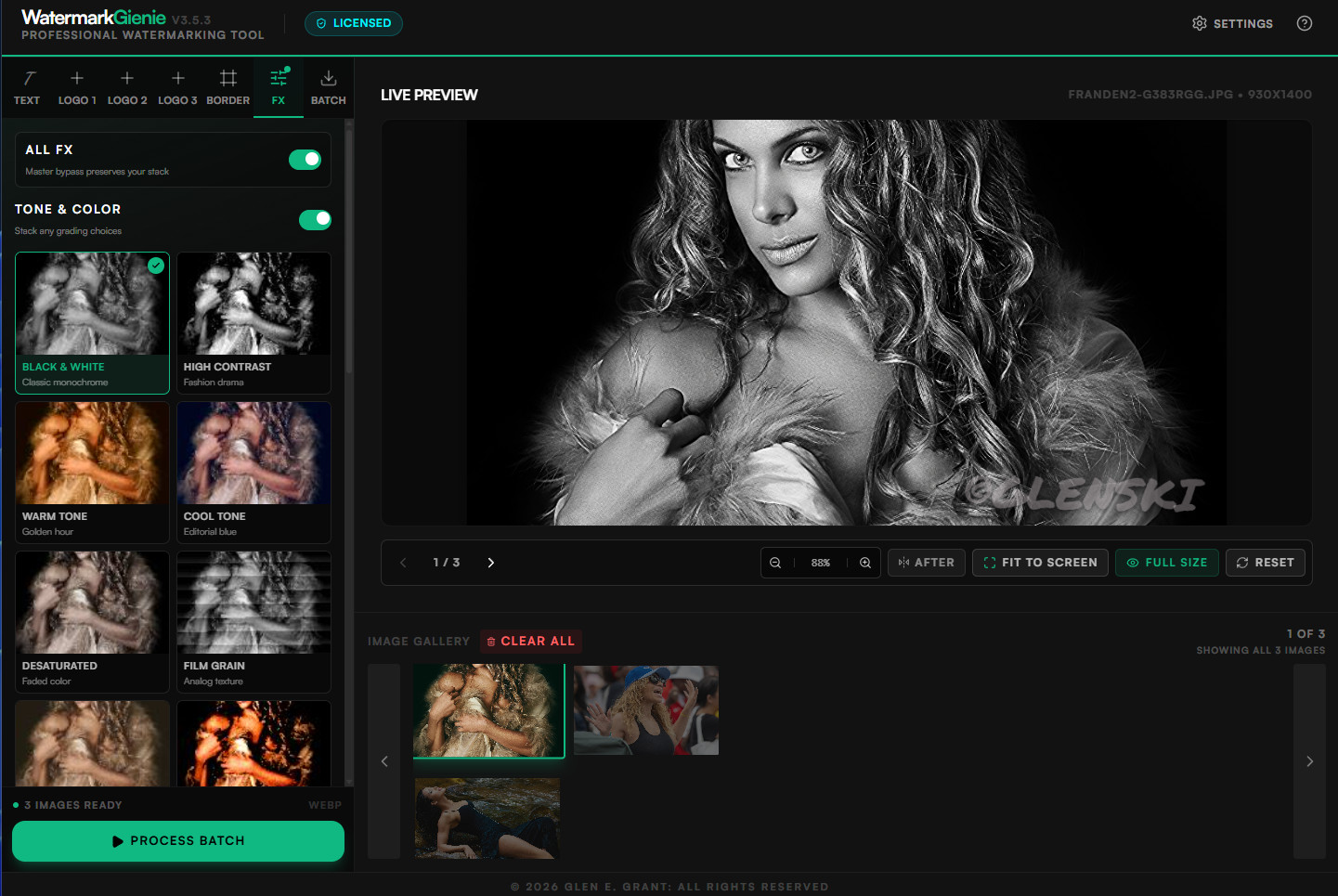
Stack colour grades, technical finishes, and a separate circular or rectangular vignette. Tune intensity by slider or preset, compare before and after, then apply the same decisions across the batch.
Watch the workflow
A real screen recording of grading controls in use, captured in an earlier 3.5.3 build. Version 3.5.5 adds the collage and signed-print tools shown above.
Real Output · Real Photographers
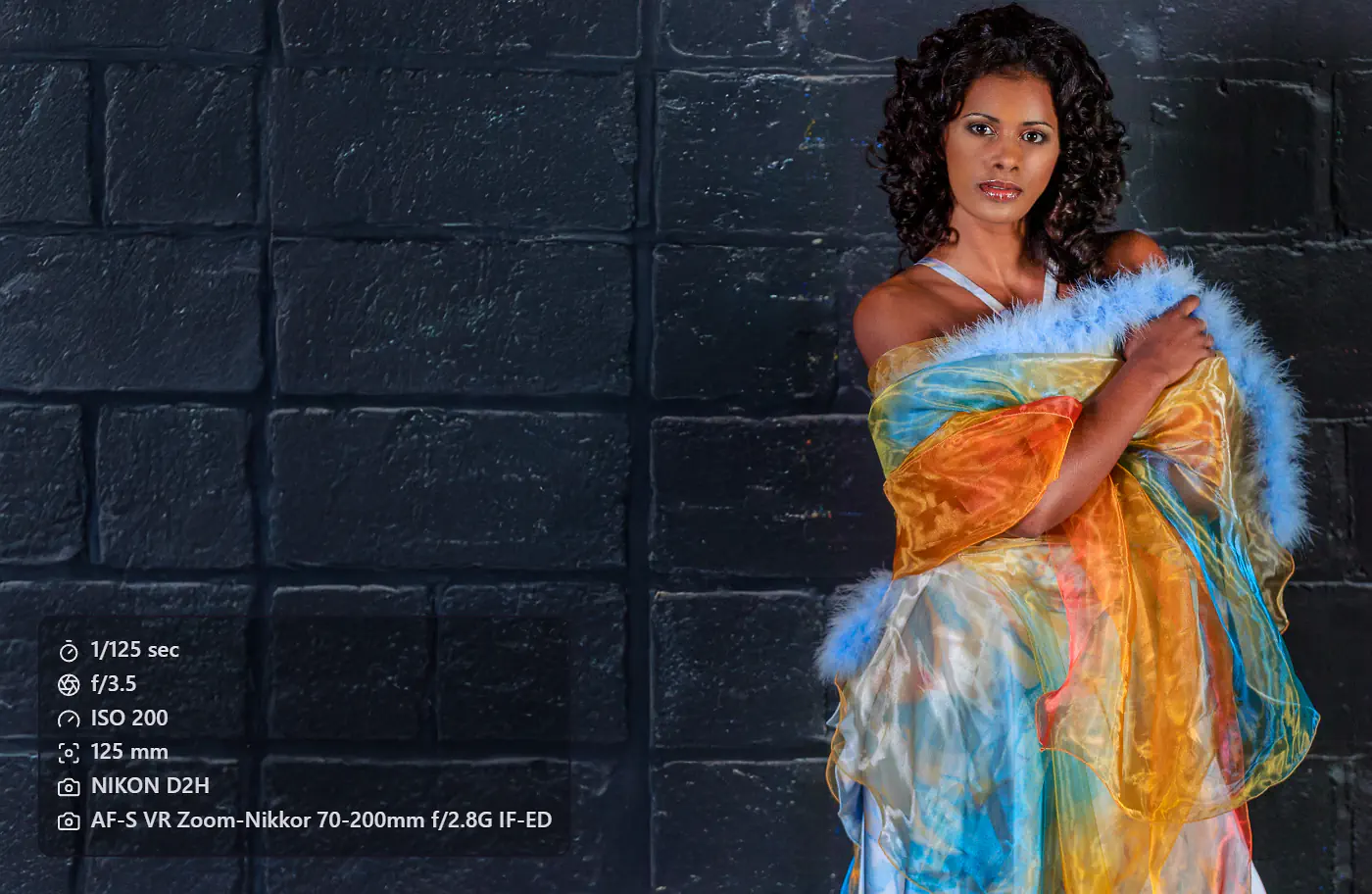
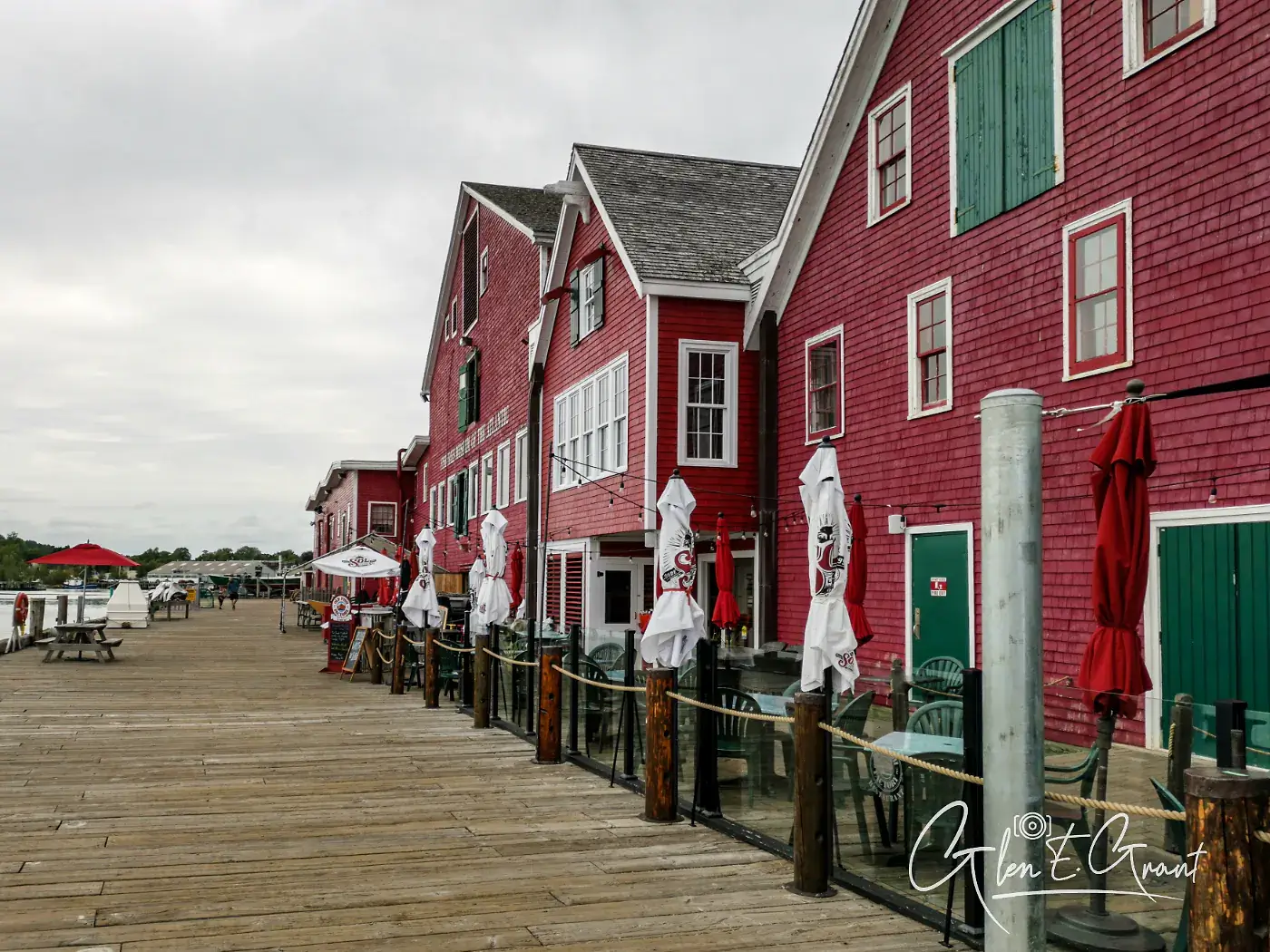
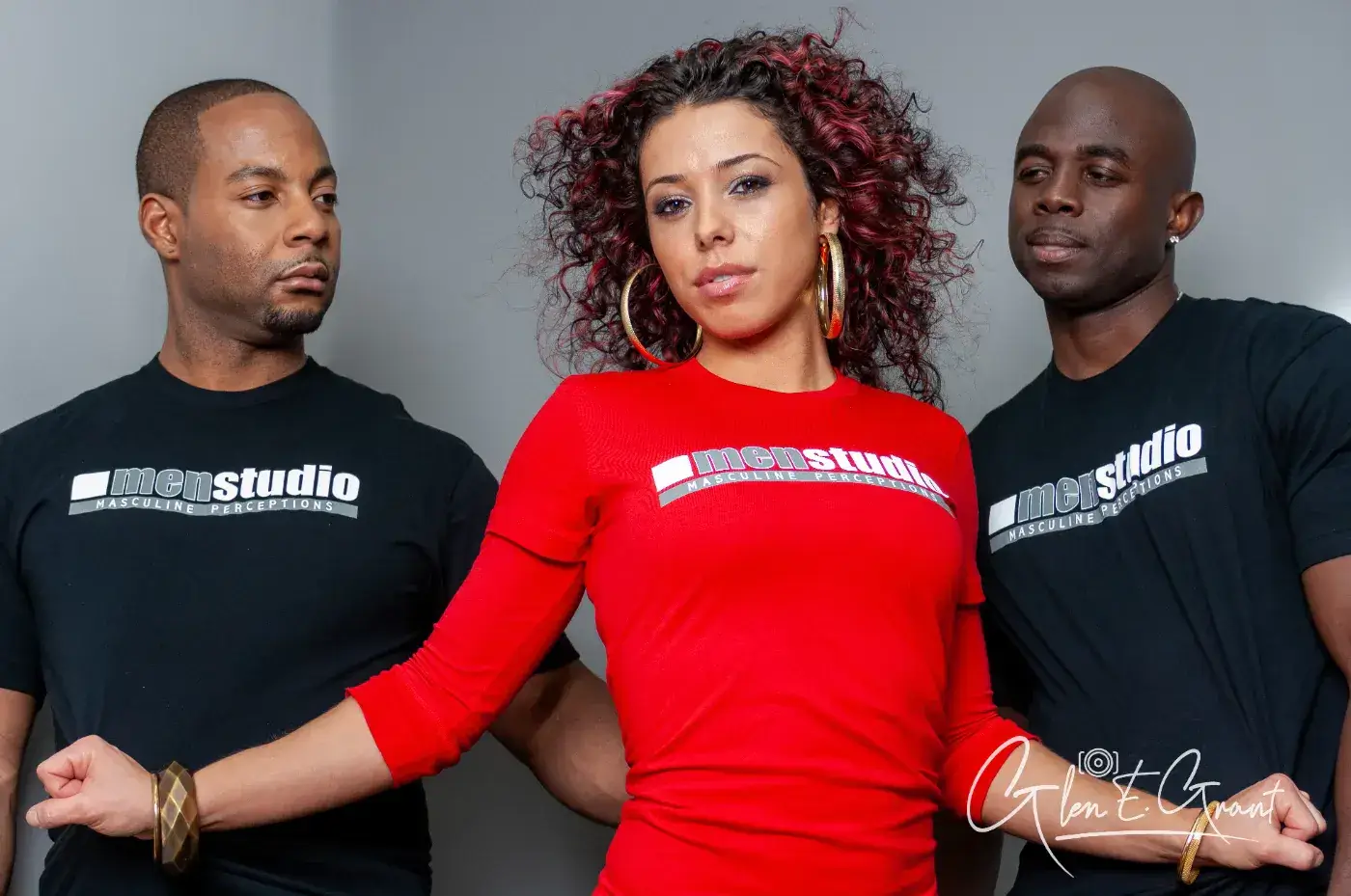
Every image below was processed through Watermark Gienie. Portrait, editorial, event, lifestyle. One tool. Consistent results. Click any image to view full size.






Feature breakdown
Built by a working photographer who needed a real tool.
Every feature earns its place.
Click any screenshot to inspect it up close.
Stack up to 3 independent watermark layers. Position each at any of 9 anchor points with precise scale, opacity, and margin control.
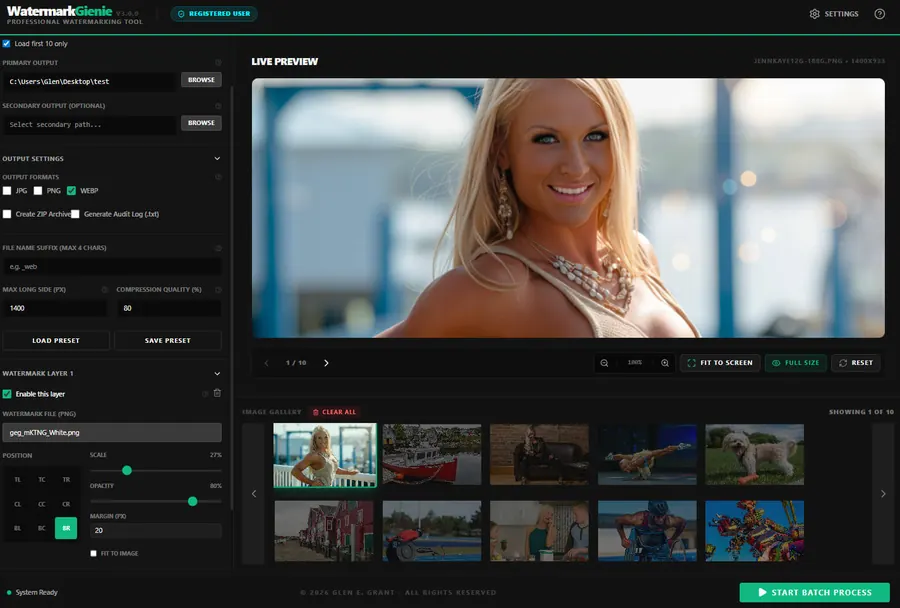
Every adjustment renders instantly. Pan, zoom, and inspect placement before committing to a batch run. What you see is exactly what exports.
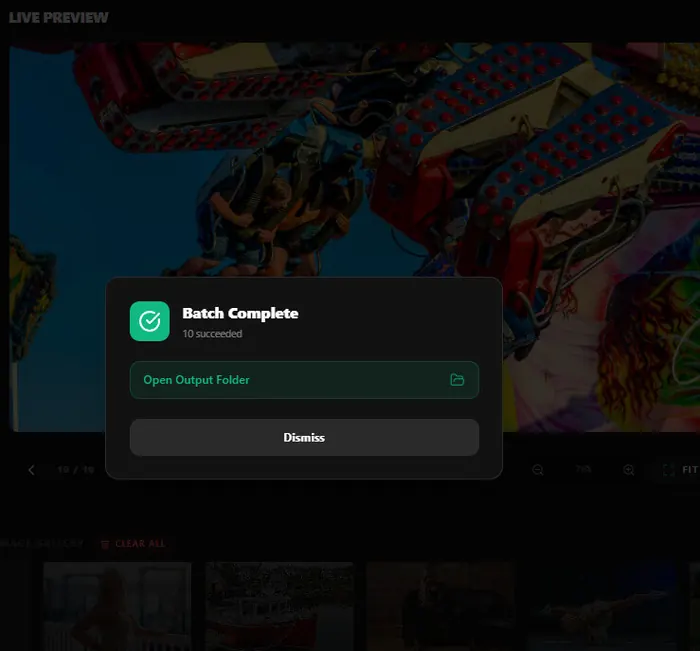
Process an entire folder in one click. Monitor progress in real time. Open your output folder directly from the completion panel when done.
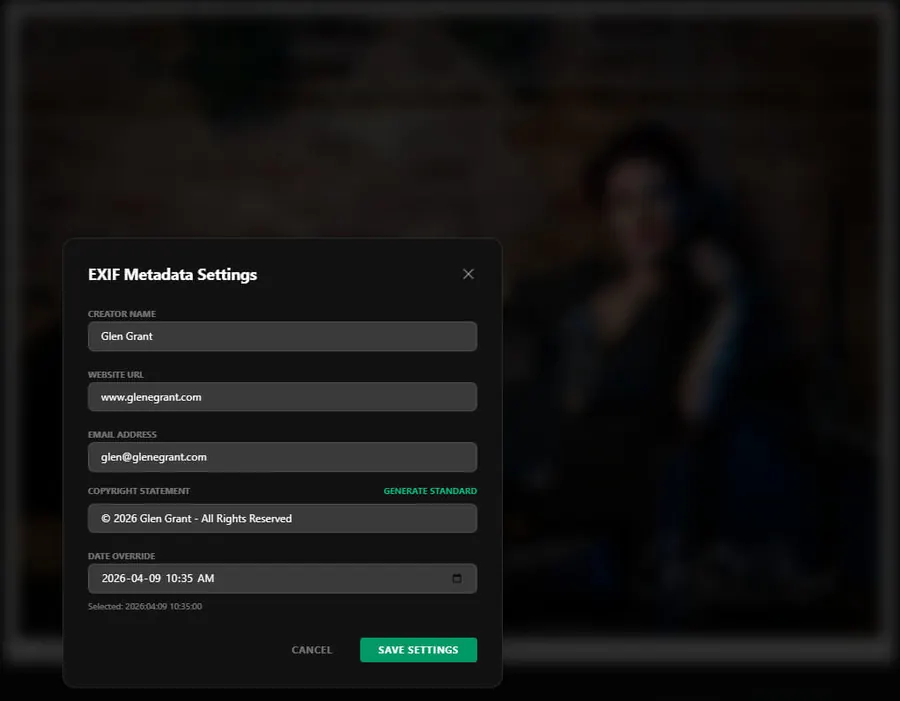
Creator, Copyright, Website URL, Email, and Date written directly into every output file. Persistent rights information baked in. Every time.
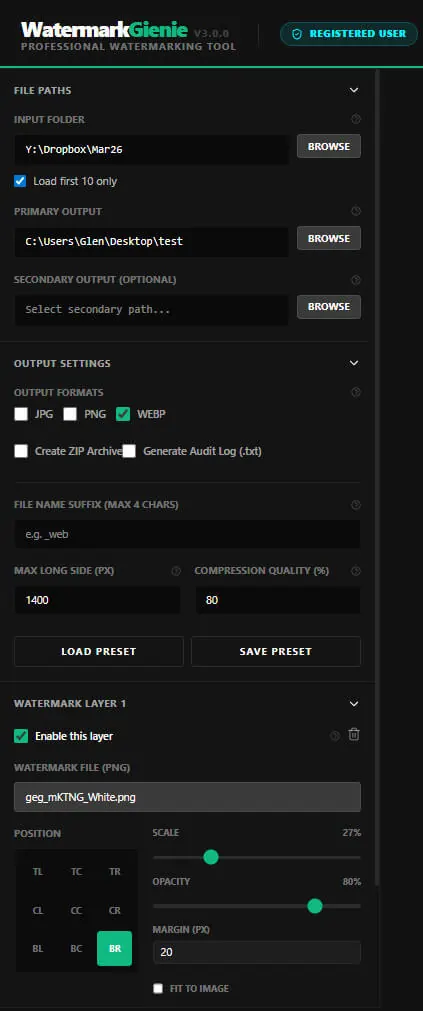
Save your full job setup and reload it in one click. Build a library of presets for client delivery, stock submission, web export, and archive runs.
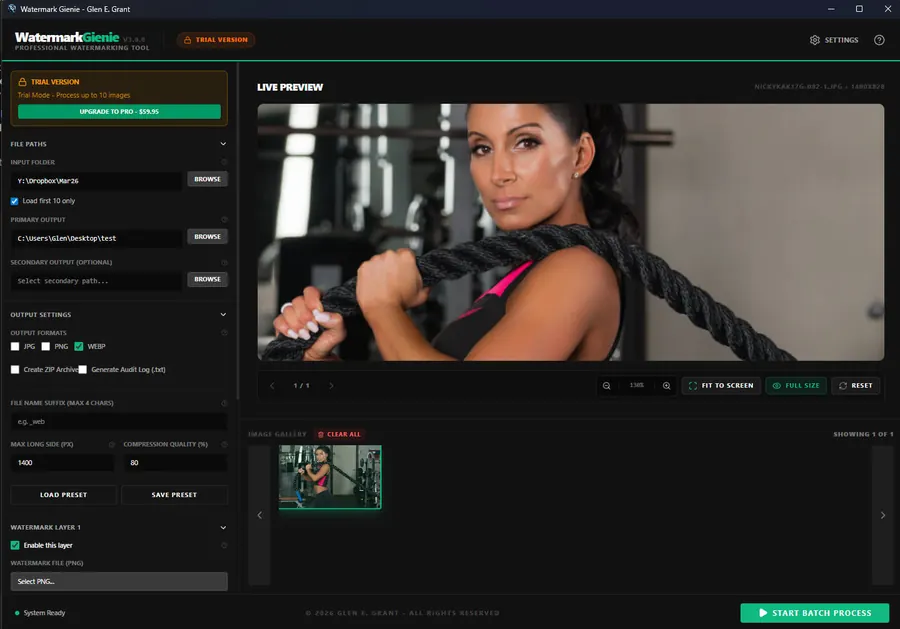
Try the core batch workflow with one logo layer and basic borders. Pro adds FX, Create tools, larger output, and the full layer system.
Point to your input folder. Choose to preview the first 10 images or load the full folder. Drag and drop individual files also supported.
Set watermark layers, border, output format, compression quality, EXIF metadata, and output paths. Save the entire setup as a preset for future use.
Click Start Batch Process. Monitor progress in real time. Open your output folder directly from the completion panel the moment the run finishes.
Under the hood
Watermark Gienie is a Windows and macOS desktop application built on Electron and React. Processing uses local image rendering. Output stays on your machine from first load to final export.
Pricing
Start free, upgrade when you are ready. No recurring fee, no cloud dependency, and no hidden cost, ever.
Test the core batch workflow free for 14 days. The demo edition has deliberate output and feature limits.
The commercial release for photographers, agencies, and creators who need real local throughput without a monthly fee.
Made by a working photographer
Watermark Gienie was built by Glen E. Grant, a commercial and editorial photographer based in Ontario, Canada, with 25-plus years of professional shooting experience and 35-plus years in IT.
This tool was built to solve a real workflow: batch-watermarking thousands of images for client delivery, archiving, and stock submission. Fast, private, and without a monthly fee.
Your images are never uploaded. The app contacts the licence server only to confirm your licence, and never sends a photo, its metadata, or its file names. No hidden cost. Image processing is local, from first load to final export.
FAQ
Yes. Watermark Gienie runs natively on Windows 10/11 and macOS (Apple Silicon and Intel). The macOS build is not yet code-signed, so the first launch requires a right-click → Open instead of a normal double-click, macOS Gatekeeper's standard prompt for independently distributed apps. Linux is not currently supported.
No. Images and their metadata are processed entirely on your own machine and are never uploaded. The app talks to the licence server only to activate and re-check your licence and the Demo clock, and the verify page on this site reads photos inside your browser.
JPEG, PNG, WebP, TIFF, BMP, and JPEG XL are supported as input. Output formats are JPEG, WebP, PNG, and JPEG XL (Pro), with configurable compression quality per run.
Yes. The free Trial runs for 14 days from first launch and processes up to 10 images per batch. It supports text, Logo 1, Equal and Gallery Bottom borders, with a 1000 px long-side and quality 70 ceiling. FX and Create tools are reserved for Pro.
Up to 5,000 images per batch, three logo layers, FX, the collage and print-creation tools, full output controls, and future version updates at no additional cost.
After purchase you receive your licence details. Activation happens inside the app through the registered-user workflow and needs an internet connection once. After that the app re-checks your licence now and then, and keeps working for up to 72 hours offline.
Windows 10/11 or macOS 12+ (Apple Silicon or Intel), a modern processor (4 cores or more recommended), and at least 8 GB RAM for comfortable large-batch processing. No GPU requirement.
Yes. The Camera Info overlay reads each image's embedded EXIF and draws shutter speed, aperture, ISO, focal length, lens, and camera body directly on the photo as a clean icon panel. Layout, position, colours, and opacity are all configurable, and images missing a field simply skip it.
Watermark Gienie can rename exports automatically from each image's own IPTC/XMP keywords into search-friendly names like brand-keyword-city.webp: lowercase, hyphenated, stop-words removed, capped at 50 characters. Client files keep their original names while your web and social set gets the SEO naming, in the same batch.
A Pro feature, switched on in the Batch tab. Every export carries a hidden 10-character ID tied to your licence. It survives resizing, recompression, and stripped metadata, so you can show a copy is yours. Heavy cropping or a full repaint removes it: it is proof and recovery, not a lock. Available on Windows now, macOS after validation.
Drop it on the verify page. The photo is read inside your browser and never uploaded. Only the 10-character ID is looked up in the licence register, and the result shows the app that marked it, its status, and when it was registered.
Yes, in Pro. JPEG XL output uses the official libjxl encoder with lossy or lossless modes and every encoder setting. You can also keep a lossless JPEG XL archive copy of each untouched JPEG original, typically 14 to 20 percent smaller, and the original can be rebuilt from it exactly. Available on Windows now, macOS after validation.
Ready to protect your work?
Text and Logo 1 watermarking, basic borders, metadata, and local batch export. Windows and Mac trials are available; Photo FX and Create tools are in Pro.